Ordering and Downloading Add-Ons
Model API can be used to purchase, check the order status of, and retrieve a signed download link to any of our Add-Ons, or "bundles", programmatically.
Add-Ons include Floorplans, Matterpaks, E57 Files and the High Resolution Imagery Pack (Business and Enterprise Only). BIM Plan assets can be queried, but not ordered via Model API.
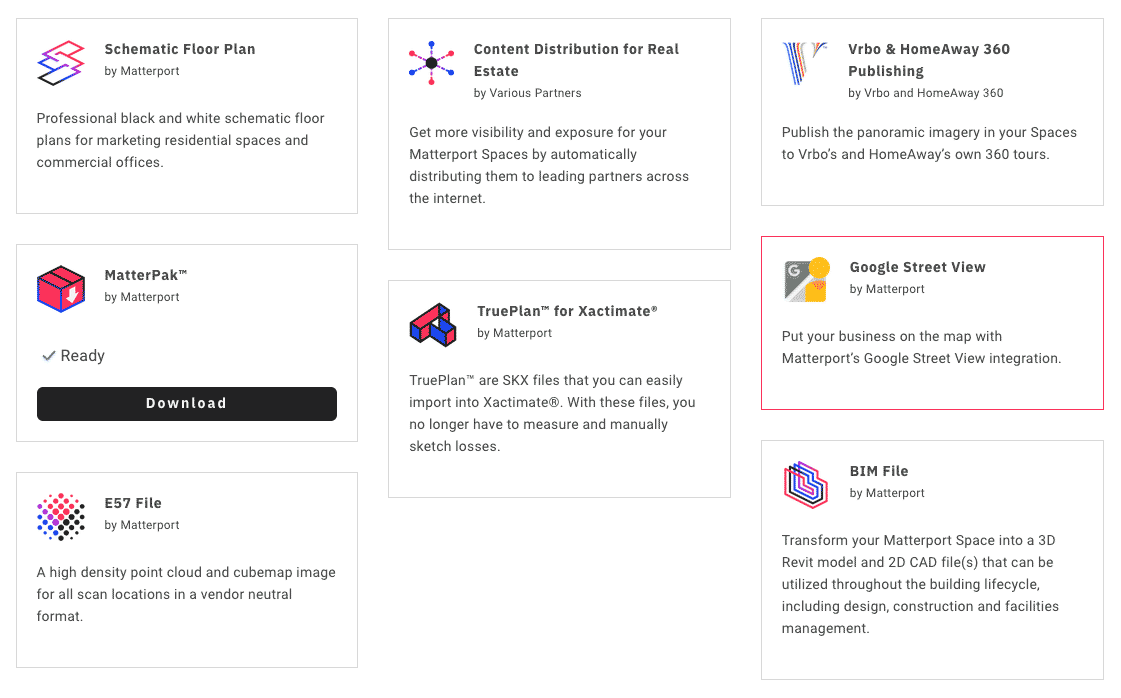
Available Add-Ons
Depending on your account type, options may vary.
| Add On Name | id | Description |
|---|---|---|
| Matterpak | mp:matterpak | High Resolution OBJ/MTL, Colorized Point Cloud, Reflected Ceiling Plan Image, High Resolution Photogrammetry Floorplan |
| Schematic Floorplan | floorplan:schematic | Schematic Floorplan (JPG, PNG, SVG) |
| e57 File | mp:e57 | 3D Imaging Point Cloud Files |
| BIM File ¹ | bim:cad | Building Information Modeling Files |
| CAD File ¹ | standard:cad | 2D .DWG File for AutoDesk |
| Trueplan ¹ | trueplan:schematic | TruePlan™ Schematic for Xactimate |
| Advanced Imagery Pack ² | mp:imagery | High Resolution Panorama Images |
Pricing for Add-Ons may vary based on account type. Please refer to our Price List.
¹ BIM Files, CAD Files and Trueplans cannot be purchased via Model API at this time. You may, however view and get access to these assets via Model API.
² The Advanced Imagery Pack is $99 and is only available for Business and Enterprise accounts.
Ordering Options
We have introduced the availableOptions field to bundles queries and the bundleOptions parameter in the unlockModelBundle mutation — replacing supportedOptions and options respectively.
Customers now have access to a complete list of ordering options on add-on bundles, whereas previously only deliverySpeed and measurementUnits were available.
Schematic Floorplans v2.0 Options
| Option | Value | Description |
|---|---|---|
| color ¹ | false / true | True to include color in the floorplan |
| delivery_time | normal | Default: Delivered within 2 business days |
| delivery_time ¹ | fast | Delivered within 1 business day |
| delivery_time ¹ | urgent | Express delivery within 6 hours |
| furniture ¹ | false / true | True to include furniture in the floorplan |
| hide_dimensions | false / true | True to remove dimensions from all rooms on the floor plan |
| hide_internal_area | false / true | True to remove the total area from the bottom of the floor plan |
| language | en / de / fr / es / it | The language of the floorplan |
| unit_type | imperial / metric / both | The displayed units of measure |
| use_custom_showcase_labels | false / true | True to use the room labels created in Edit Mode |
| use_showcase_orientation | false / true | True to use the orientation you see in Showcase (floor plan view) rather than a standardized orientation |
| use_six_inch_wall_thickness | false / true | True to use six inch wall thickness |
| logo_attachment_id ² | [string] | The attachment ID to use as a logo |
¹ Color, furniture and faster delivery times will increase the price of the schematic floorplan.
² The logo attachment id is a unique key that can be derived from any attachment in your account including a logo that has been previously uploaded when ordering a floorplan. You can right click and inspect the attachment in Matterport Cloud and find the attachment id within its filename.
Example:
mutation purchaseFloorplan($modelId: ID!){
  unlockModelBundle(
    id: $modelId,
    bundleId: "floorplan:schematic",
    bundleOptions: [
      {
         key:"delivery_time"
         value:"normal"
      },
      {
        key:"furniture"
        value:"true"
      }
    ]
  ) {
    id
    name
    description
    availability
    assets { url }
  }
}
CAD File Options
Users can use Model API to set options when ordering Standard CAD Files. At this time, BIM files cannot be ordered via Model API.
| Option | Value | Description |
|---|---|---|
| style | architecture | Standard |
| style | mep | Include mechanical and electrical notations |
| style | furnished | Furniture should be added where possible |
| style | mep_furnished | Include both options |
| style | industrial | Industrial style |
| unit_type | imperial / metric | Specify dimension units |
Query Available Add-Ons
To retrieve all possible add-ons that can be purchased, all existing purchases and all add-ons that are processing, you can use the following queries:
List all available Add-Ons and Ordering Options
query getAvailableBundleOptions($modelId: ID!) {
  model(id: $modelId) {
    bundles {
      id
      availability
      availableOptions {
        description
        key
        values
      }
    }
  }
}

# variables
{
  "modelId" : ""
}
List all available Add-Ons, Existing Assets, and Order Statuses
query getAddOns($modelId: ID!) {
   model(id: $modelId) {
      bundles {
        id
        name
        description
        availability
        assets {
          status
          filename
          format
          url
          validUntil
        }
        processing {
          bundleId
          organizationId
          status
          lastModified
          failureCode
          failureReason
        }
      }
   }
}

# variables
{
  "modelId" : ""
}
Buy a Matterpak
Purchase a Matterpak and return a signed url to download it if the asset has been created.
mutation buyMatterpak($modelId: ID!){
  unlockModelBundle(
    id: $modelId,
    bundleId: "mp:matterpak"
  ) {
    id
    name
    description
    availability
    assets { url }
  }
}

# variables
{
  "modelId" : ""
}
Ordering Add-On Bundles - Workflow
Query: Find the Asset Ids and Delivery Speeds
The following query returns all asset bundles that can be purchased, including optional delivery speeds if applicable (schematic floorplans).
fragment asset on Asset{
  id
  url
  validUntil
  format
  filename
  status
}

query getBundleAssets($modelId: ID!){
  model(id: $modelId) {
    bundles {
      id
      availability
      name
      description
      assets { ...asset }
      availableOptions {
        description
        key
        values
      }
    }
  }
}

# variables
{
  "modelId" : ""
}
Mutation: Ordering a Schematic Floor Plan
We are taking the bundleId from the previous query that we'd like to order and now performing a mutation to buy it.
Note - Assets will not be immediately available. Schematic Floorplans won't be available until our floor plan team returns it (normal speed is about 2 days).
mutation buyAddOn($modelId: ID!){
  unlockModelBundle(
    id: $modelId,
    bundleId: "floorplan:schematic",
    bundleOptions: [
      {
         key:"delivery_time"
         value:"normal"
      }
    ]
  ){
    id
    name
    description
    availability
    assets { url }
  }
}

# variables
{
  "modelId" : ""
}
Query: Retrieve the Purchased Add-On
query getAddOn($modelId: ID!) {
  model(id: $modelId) {
    bundle(id: "floorplan:schematic") {
      assets { url }
    }
  }
}

# variables
{
  "modelId" : ""
}
Accessing the Advanced Imagery Pack
Customers on a Business or Enterprise Account can unlock the "mp:imagery" bundle, which provides access to 4K (4096 x 4096) cube faces that can be used to project a 16,384 x 8,192 panoramic image in an external application.
Customers on Starter and Professional accounts can also access cube face imagery, however, it is limited to 2K (2048 x 2048) cube face imagery that can be used to project an 8,192 x 4096 panoramic image in an external application.
Exported images can be reimported into the Matterport Application and used as additional 360 Views, or can be edited and uploaded to replace existing imagery.
The Advanced Imagery Bundle has a $99 USD fee associated with it and your account will automatically be charged when the bundle is unlocked on a model.
Purchase the Advanced Imagery Bundle
mutation buyAdvancedImagePack($modelId: ID!){
  unlockModelBundle(
    id: $modelId,
    bundleId: "mp:imagery"
  ) {
    id
    name
    description
    availability
    assets {
      format
      id
      status
      validUntil
    }
  }
}

# variables
{
  "modelId" : ""
}
Get all Sweep Locations and Panoramic Images
The following query will get all of the 4K imagery along with useful information such as the position of the panorama within the 3D Space, the rotation of the imagery relative to the skybox that it is projected in within the space and the room and floor that it appears in.
fragment panoFragment on PanoramicImageLocation{
  id
  rotation {x, y, z, w}
  position { x, y, z }
  skybox(resolution: "4k") {
    status
    format
    children
  }
}

query getSweeps($modelId: ID!){
  model(id: $modelId) {
    locations {
      id
      label
      floor { id, label }
      room { id, tags }
      panos { ...panoFragment }
    }
  }
}

# variables
{
  "modelId" : ""
}